
Interactive Maps
Give residents a visual way to navigate your property's cameras. Upload your property map, place markers where cameras are located, and let residents tap to view.


Navigate by location, not names
Instead of scrolling through a list of camera names like "Tennis Court 1" or "Pool East", residents see a visual map of the property and tap exactly where they want to look.
Visual Overview
See your entire property at a glance
Tap to View
Tap any marker to view that camera
Easy Navigation
Find cameras by location, not name
Mobile-Friendly
Works great on phone and tablet
Color-Coded
Different colors for different areas
Powerful map editor
Create custom property maps with a visual drag-and-drop editor. Draw polygon markers, add labels, and link them to cameras — all without touching code.
Upload Floor Plan
Use your existing property map or site plan
Draw Custom Markers
Create polygon shapes for each camera area
Label Markers
Add short labels like "T1", "Pool", "P3"
Link to Cameras
Connect markers to cameras or camera groups
Color Customize
Choose colors or let the system auto-assign
Up to 50 Markers
Support for large properties
Editor Features

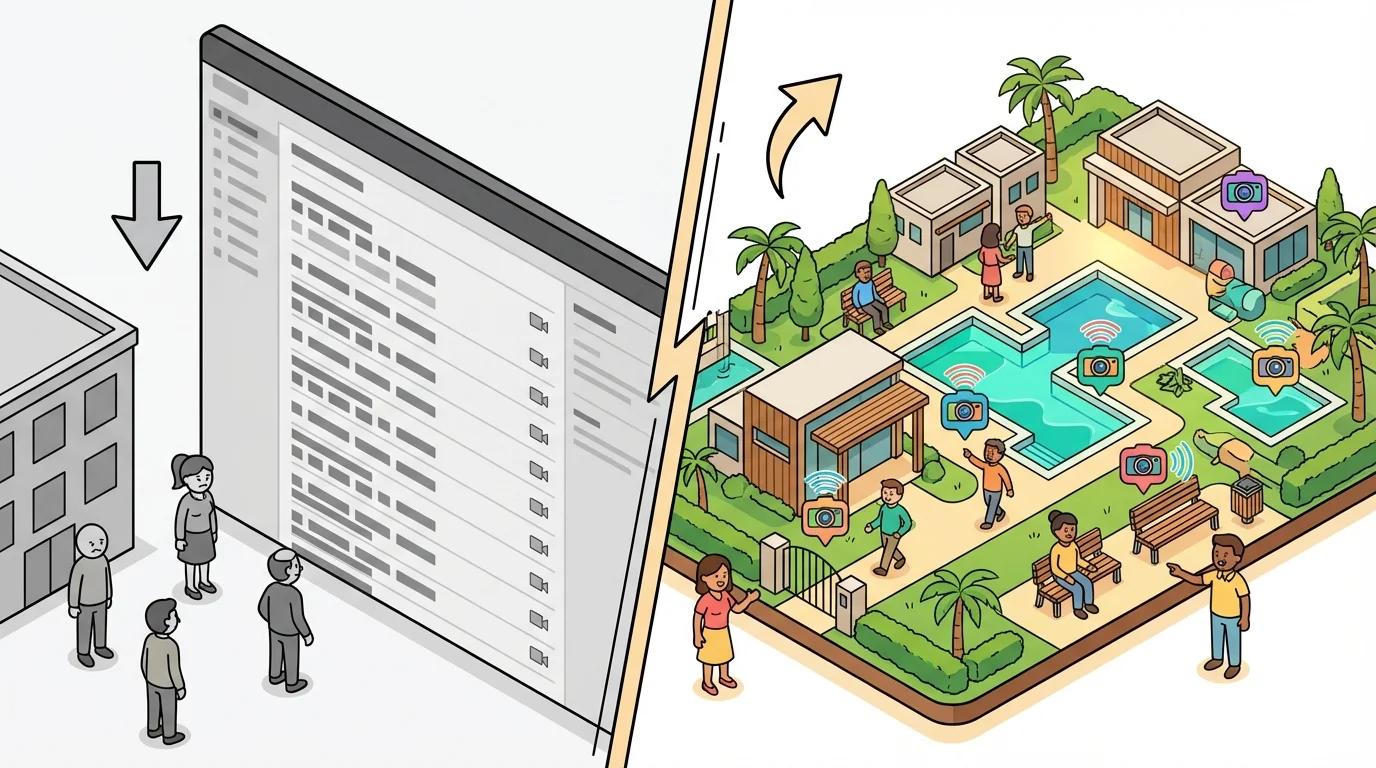
From boring lists to visual navigation
See the difference interactive maps make for your residents.
Set up in minutes
Creating an interactive property map is quick and easy.
Upload Map
Upload any image of your property — aerial photo, site plan, or hand-drawn map.
Place Markers
Draw polygon markers and place them at exact camera locations on the map.
Residents Navigate
Residents see the map and tap any marker to view that camera.
Why residents love maps
Visual navigation is intuitive. Instead of scrolling through a list of camera names, residents see exactly where each camera is located and tap to view.
See interactive maps in action
Request a demo to see how maps can improve navigation for your residents.
Request a Demo